Short answer: what Brick sells is a block you can't undo from the phone. You get most of that without hardware from an app blocker with a no-exit mode: Circuit's Strict Mode or Opal's Deep Focus, or ScreenZen's lock mode if you don't want to pay anything. The difference is that their blocks end on a timer, while a Brick block lasts until you walk back to the device — and if that walk is the point for you, Brick is the better buy.
How Brick works
Brick is a small, battery-free NFC device paired with a free app. You choose which apps to block and group them into modes — Brick's own examples are Work, Family, Sleep, Gym and Study — then tap your phone on the Brick. The apps stay blocked until you tap the same Brick again. You can also start a block remotely by holding the virtual Brick in the app for five seconds, but ending one always needs the physical device.
It costs $59 on getbrick.com, and its App Store listing says there are no subscriptions or monthly fees. One Brick works with as many phones as you like, on iPhone and Android. On iPhone it blocks any app except the phone dialer, plus selected Safari websites; a Strict Mode stops you deleting the app or changing settings to get out. If you lose it, the app has five Emergency Unbricks. The app is rated 4.9 from about 56,000 US ratings, and the device comes with a 30-day money-back guarantee.
Why look for an alternative
- You don't want another object. A Brick has to be bought, shipped, and kept somewhere. Travel, a second home or an office means deciding where the key lives.
- You want a block that ends by itself. A Brick block is open-ended. That's its strength, but for a 90-minute work block or a night, a timer that runs out on its own means there's nothing to remember in the morning.
- You want to try blocking before paying. Brick is $59 up front with a 30-day guarantee; several app blockers have a free tier you can use indefinitely.
Brick and the no-hardware alternatives
| Brick | Circuit | Opal | ScreenZen | |
|---|---|---|---|---|
| Needs hardware | Yes, the Brick | No | No | No |
| Price (US) | $59 once, no subscription | Free tier; $59.99/yr | Free tier; $99.99/yr | Free (optional tips) |
| How a block ends | Tap the Brick again | Its timer or schedule ends | Its session or rule ends | Its timer or schedule ends |
| Strict mode | No deleting the app or changing settings | Strict Mode (Pro): no early exit | Deep Focus: can't be cancelled | Lock mode: harder to uninstall or bypass |
| If you lose the key | 5 Emergency Unbricks | No key to lose | No key to lose | No key to lose |
| Platforms | iPhone, Android | iPhone, iPad | iPhone; Android and Mac per site | iPhone, Mac, Android, Windows |
Circuit: the closest thing to a Brick without one
Circuit is ours, so read this as the maker's description. It blocks through Apple's Screen Time, the same way Brick's iPhone app does, and covers the Brick use case like this:
- Pick your apps once — apps, whole categories such as Games, and websites.
- Start a block with one hold. The Breaker blocks them for 15, 30, 60 or 90 minutes, or a whole day, from the app, Control Center, a widget or Siri. A Live Activity keeps the countdown on your Lock Screen.
- Turn on Strict Mode (Pro) and there is no early exit: the block runs until the timer does. Without Strict Mode, ending early asks for a breath, a wait or a typed sentence first.
- Put the regular hours on a schedule, like "Work, weekdays 9–17" or "Sleep, 22:30–07:00", so they start without a tap at all.
If the physical tap is the part you like, you can keep it. In Apple's Shortcuts app, create a personal automation with the NFC trigger, scan any NFC sticker, and add Circuit's Trip the breaker action with the minutes you want. Tapping the sticker then starts the block. It isn't the same as a Brick: the sticker only starts the block, and the block ends when its timer does, not when you come back.
Where Brick is ahead: it's paid for once, it works on Android, and a lock that only a device in another room can open is a stronger commitment than any timer. Circuit is iPhone and iPad only.
The other options
Opal (4.7 stars, about 89,000 US ratings) is the best-known software blocker; its Deep Focus sessions can't be cancelled once they start. It is $99.99 a year or $19.99 a month. Opal and its alternatives are compared here.
ScreenZen is free, paid for by optional tips, and has a lock mode that its site says prevents uninstalling and makes limits much harder to bypass. It works by pausing you before an app opens, with open limits and schedules on top — softer than a Brick by default, but free.
Screen Time with someone else's passcode is the free, no-app version of Brick's idea: ask a partner or friend to set the Screen Time passcode, then turn on blocking during Downtime. The passcode becomes the key you don't hold. How to make Screen Time strict.
Which to choose
- You want the block tied to a place — phone stays locked until you're back at your desk or home → Brick.
- You want a hard block on a timer or schedule, with nothing extra to buy or carry → Circuit or Opal.
- You want to spend nothing → ScreenZen, or Screen Time with a passcode someone else holds.
For the whole field, see the best app blockers for iPhone in 2026.
Try Circuit free — one schedule and blocks up to 30 minutes cost nothing, and there's nothing to order.
Questions people ask
What is Brick?
Brick is a small NFC device and a companion app. You pick apps to block, tap your phone on the Brick, and those apps stay blocked until you tap the same Brick again. It costs $59 on getbrick.com, with no subscription, and works with iPhone and Android.
Is there a Brick alternative without buying hardware?
Yes. App blockers built on Apple's Screen Time can block apps with no device. For a block that can't be ended early, use one with a no-exit mode: Circuit's Strict Mode, Opal's Deep Focus, or ScreenZen's lock mode, which is free.
What happens if you lose your Brick?
Brick's app includes five Emergency Unbricks that unblock all apps without the device, and Brick's FAQ says more can be requested by email.
Can I start a Circuit block by tapping an NFC tag, like Brick?
Yes. In Apple's Shortcuts app, create a personal automation with the NFC trigger, scan any NFC sticker, and add Circuit's Trip the breaker action. Tapping the sticker then starts a block. Unlike Brick, the tag only starts the block; it ends when its timer does.
Is Brick cheaper than an app blocker subscription?
Over time, usually yes: Brick is a one-time $59 and lists no subscription, while Circuit Pro is $59.99 a year and Opal $99.99 a year. ScreenZen is free, and Circuit's free version includes one schedule and blocks of up to 30 minutes.
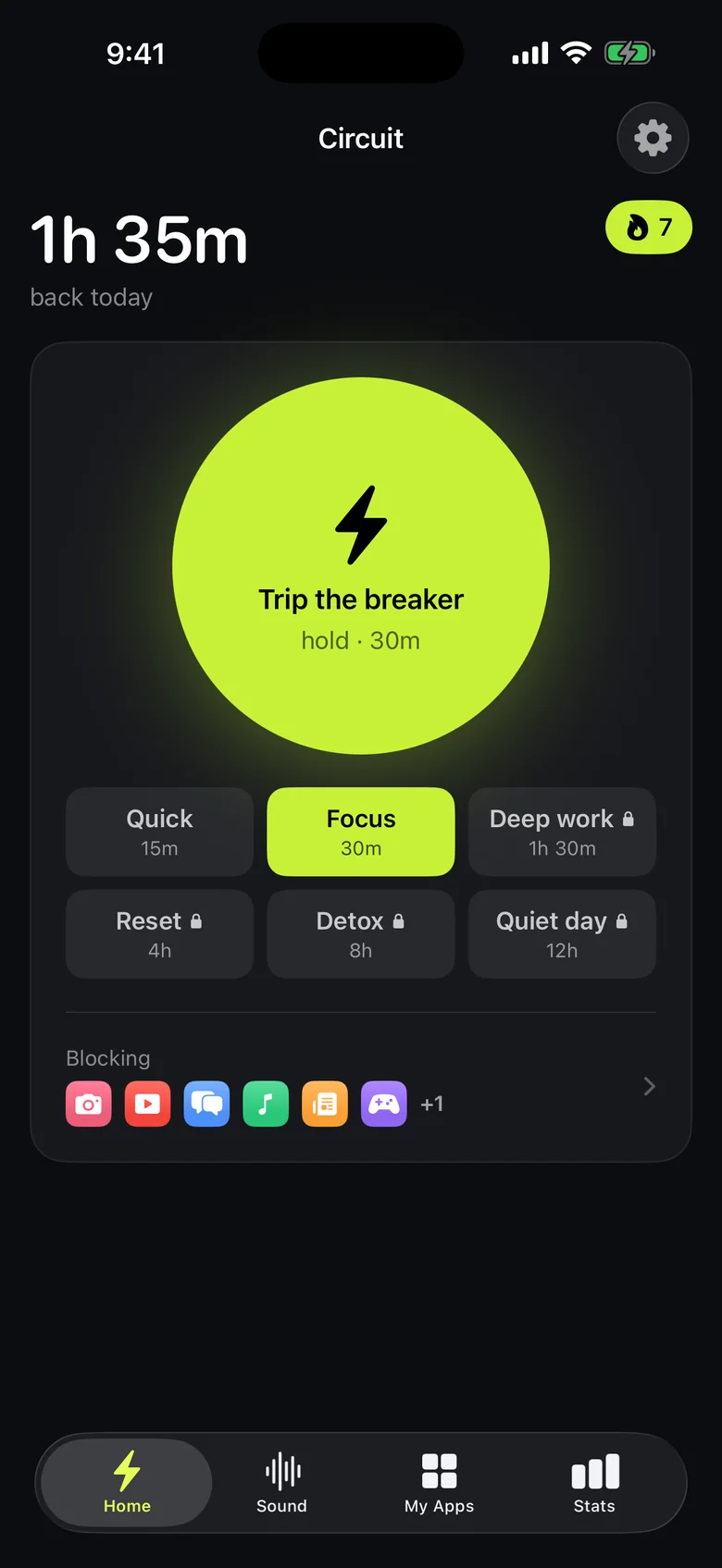
Ready to trip the breaker?
Free includes one schedule and the Breaker up to 30 minutes.