Short answer: pick by the way you slip. For autopilot opening, a friction app — one sec or the free ScreenZen — is the best tool. For a block you can't talk your way out of, you want a hard blocker with a strict mode: Opal is the best-known, and Circuit does the same for less. If the problem follows you to your laptop, Freedom is the one that covers every device.
All of these sit on top of Apple's Screen Time, so the block itself is enforced by iOS. What differs is what happens when you try to get past it, what it costs, and what else comes with it.
The comparison
US prices from the App Store and each app's pricing page on 26 September 2026. Where the App Store lists several prices for the same plan, the range is shown.
| How it works | Strict / no-exit mode | Price (US) | Free tier | Other platforms | |
|---|---|---|---|---|---|
| Screen Time (Apple) | Daily limits and Downtime schedules | Only with a passcode | Free | Everything | Mac, iPad |
| Opal | Hard block: rules and focus sessions | Yes (Deep Focus) | $99.99/yr, $19.99/mo, $4.99/wk | One rule, basic timers | Android, Mac |
| one sec | Friction: a pause before the app opens | Strict blocks | $19.99/yr, $6.99/mo, $99.99 lifetime | Full intervention for one app | Android, Mac, browsers |
| ScreenZen | Friction plus limits and open caps | Yes | Free (optional tips) | Everything | Android, Mac |
| Jomo | Blocks, daily open quotas, unlock challenges | Yes (paid) | $29.99/yr, $5.99/mo, $99.99 lifetime | Limited | Mac |
| Freedom | Hard block of apps, sites or the whole internet | Yes (Locked Mode, paid) | $39.99–59.99/yr, $8.99–12.99/mo | Blocking, no schedules | Android, Mac, Windows, ChromeOS |
| Circuit | Hard block, on a schedule or one tap | Yes (Strict Mode, Pro) | $59.99/yr, $12.99/mo, $4.99/wk | One schedule, blocks up to 30 min | iPad only |
What each one is best at
Apple Screen Time is free and already on your phone. Downtime can block everything but the apps you allow, on a schedule. Its weakness is the exit: a reached App Limit can be ignored from the screen that announces it, and making it stick means setting a passcode — which you then know. It is the right place to start and the usual reason people go looking for something else.
Opal (4.7 stars, about 89,000 ratings) is the best-known dedicated blocker. Its Deep Focus sessions cannot be cancelled, and the app is polished, with a score that makes screen time feel like something to improve. It is also the most expensive on this list at $99.99 a year.
one sec (4.8, about 24,000 ratings) doesn't block by default: it makes you wait and breathe before the app opens, and often you close it instead. It is the one app here with published research behind the method, a 2023 study in PNAS. Best for habit opening rather than binge sessions.
ScreenZen (4.9, about 50,000 ratings) is free, with tips as the only purchases, and unusually configurable: pause length, opens per day, limits and a lock mode per group of apps. If price is the deciding factor, start here.
Jomo (4.8) adds structure: routines, a daily quota of opens, and challenges you complete to unlock early.
Freedom (4.4) is the cross-platform one. One blocklist and one session cover your phone, laptop and Chromebook, which none of the others do as completely. On iPhone it blocks websites through a VPN profile, and it needs an account.
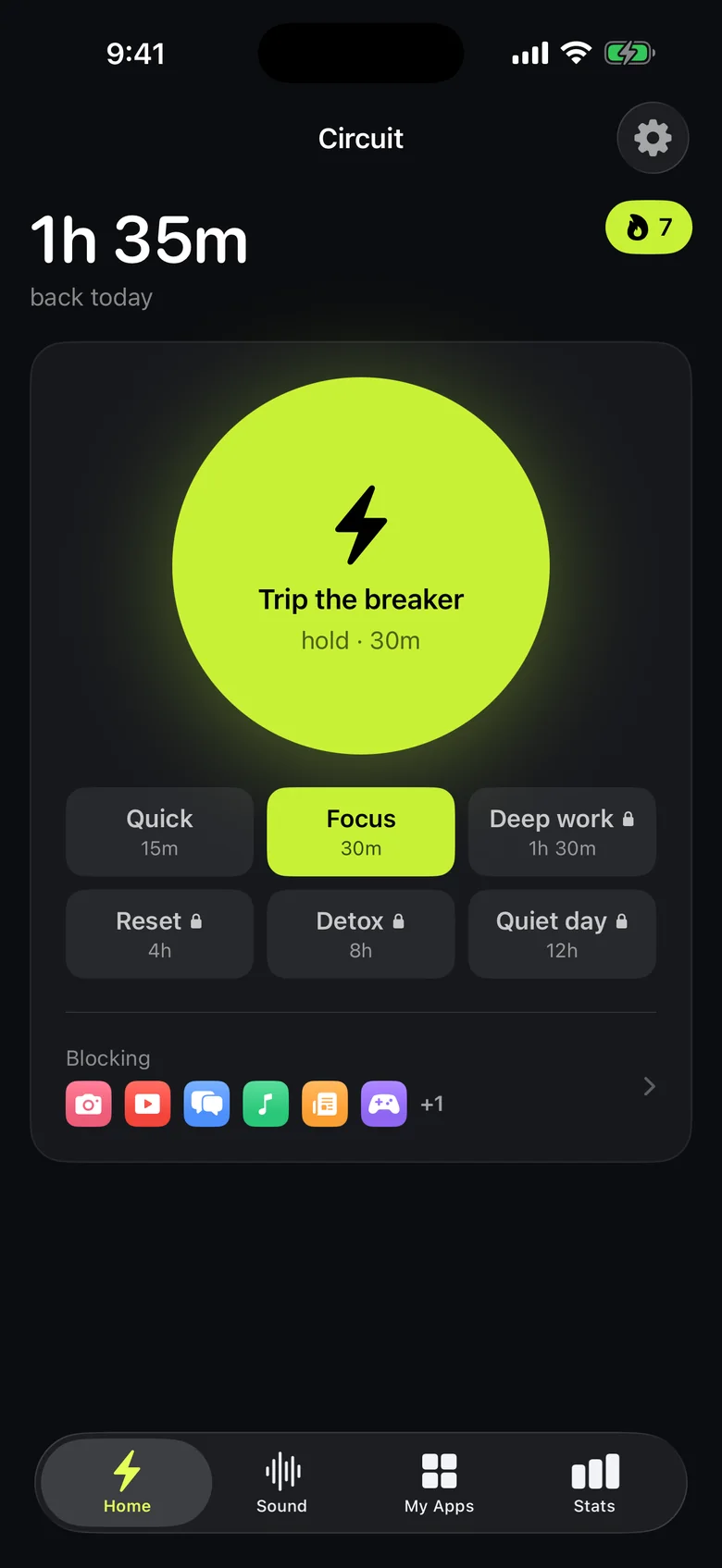
Circuit is ours, so weigh this paragraph accordingly. It is a hard blocker like Opal with two differences: the Breaker, a one-tap block for 15 minutes to a whole day that also lives in Control Center, a widget and Siri; and the price, $59.99 a year with a 7-day trial, shared with your Family Sharing group. Strict Mode sessions run to the end, and any other session can ask for a breath, a wait or a typed sentence before it ends early. It has no account, and it is iPhone and iPad only — if you need the block on a Mac or Android, it isn't the one.
How to choose in one minute
- You open apps without meaning to → one sec, or ScreenZen if you don't want to pay.
- You mean to stop and don't → a hard blocker with a strict mode: Opal or Circuit.
- The problem is on your laptop too → Freedom.
- You only need a bedtime cut-off → try Screen Time's Downtime first; it's free.
If a hard block is what you need, try Circuit free: one schedule and the Breaker up to 30 minutes cost nothing, which is enough to learn whether blocking works for you before you pay anyone.
Questions people ask
What is the best app blocker for iPhone?
It depends on how you fail. If you open apps on autopilot, a friction app like one sec or ScreenZen breaks the habit. If you need the app to be unavailable for a set time with no way out, a hard blocker with a strict mode — Opal or Circuit — does that. If you also need the block on your laptop, Freedom covers every platform.
Is there a free app blocker for iPhone?
Apple's own Screen Time is free and built in, and ScreenZen is free with optional tips. Circuit, Opal, one sec and Jomo all have a free tier with limits; Circuit's includes one schedule and blocks of up to 30 minutes.
Why not just use Screen Time's App Limits?
By default an App Limit can be ignored once it is reached, from the same screen that tells you the limit is up. Turning on 'Block at End of Limit' needs a Screen Time passcode, and if you set the passcode yourself you also know it. App blockers exist to remove that way back out.
Do app blockers on iPhone see which apps I use?
Apps built on Apple's Screen Time framework, including Circuit, receive opaque tokens for the apps you pick rather than their names. Circuit keeps what you block on the phone and has no account.
What is the cheapest alternative to Opal?
ScreenZen is free. Among paid hard blockers, Circuit Pro is $59.99 a year against Opal's $99.99, and its free tier is enough to try a schedule before paying.
Ready to trip the breaker?
Free includes one schedule and the Breaker up to 30 minutes.