Short answer: for the same hard, no-exit block at a lower price, Circuit ($59.99/year). For free, ScreenZen. If Opal's blocks feel too blunt and you want to break the reflex instead, one sec. If you need the block on your computer as well, Freedom.
What Opal does well
Opal earned its place: 4.7 stars from about 89,000 ratings on the US App Store, a polished app, and Deep Focus sessions that can't be cancelled once they start. The Opal Score turns screen time into something to improve rather than something to feel bad about. If you're using it and it works, there's no reason to switch.
The reasons people look elsewhere are mostly the price — $99.99 a year or $19.99 a month — and a free tier of one rule, which isn't much room to find out whether blocking works for you.
Opal and the alternatives, side by side
| Opal | Circuit | ScreenZen | one sec | Freedom | |
|---|---|---|---|---|---|
| Yearly (US) | $99.99 | $59.99 | Free | $19.99 | $39.99–59.99 |
| Monthly | $19.99 | $12.99 | Free | $6.99 | $8.99–12.99 |
| Free trial | 1 week on yearly (per site) | 7 days on yearly | — | — | 7 days |
| How it blocks | Hard block | Hard block | Pause, limits, lock | Pause before opening | Hard block, VPN for sites |
| No-exit mode | Deep Focus | Strict Mode | Lock mode | Strict blocks | Locked Mode (paid) |
| Platforms | iPhone; Android and Mac per site | iPhone, iPad | iPhone, Mac, Android | iPhone, Mac, Android | All major platforms |
Circuit — the same kind of block, for less
Circuit is ours, so read this as the maker's description. It blocks the way Opal does, through Apple's Screen Time, and adds:
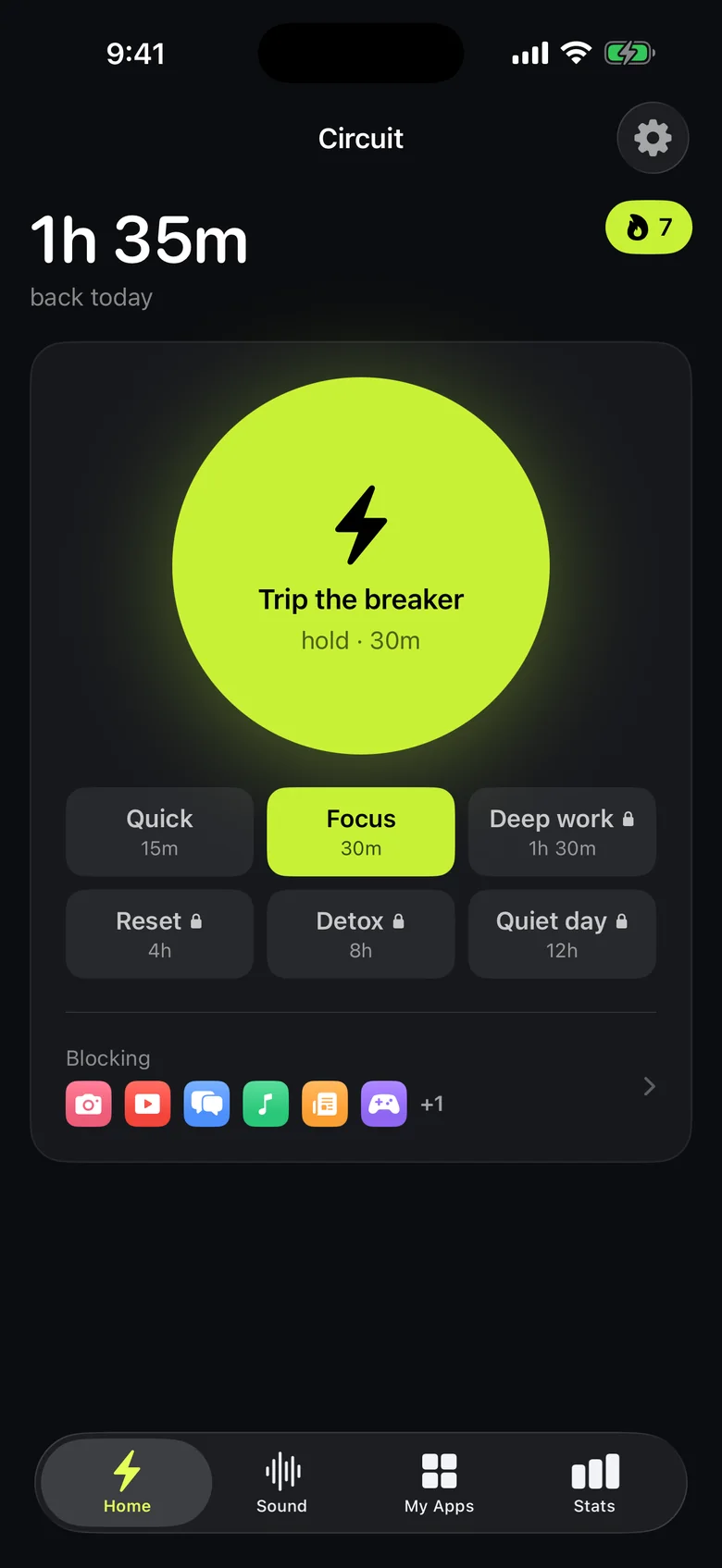
- The Breaker. Hold one button and your apps are blocked for 15, 30, 60 or 90 minutes, or a whole day. It's also a Control Center control, a widget and a Siri shortcut, so starting a block doesn't mean opening your phone to the thing you're avoiding.
- Schedules that run by themselves — "Study, weekdays 18:00–21:00", "Sleep, 22:30–07:00".
- Strict Mode, where a block runs to the end, and for everything else a breath, a wait or a typed sentence before you can end it early.
- No account. Which apps you block stays on the phone.
Where Opal is ahead: a much longer track record, an Android app, and the Opal Score. Circuit is iPhone and iPad only.
The others
ScreenZen is free, with tips as its only purchases, and rated 4.9 from about 50,000 ratings. It leans on a pause before opening, with limits, daily open caps and a lock mode on top. The best choice if you don't want to pay at all.
one sec makes you wait and breathe before an app opens. It is backed by a 2023 study published in PNAS and costs $19.99 a year. Better than any blocker for reflexive opening; less suited to "no Instagram until 6pm".
Freedom is the pick if the phone is only half the problem: one blocklist covers iPhone, Android, Mac, Windows and Chromebook.
For the full field, including Jomo and Apple's own Screen Time, see the best app blockers for iPhone in 2026.
Try Circuit free — one schedule and blocks up to 30 minutes cost nothing, and Pro starts with a 7-day trial.
Questions people ask
How much does Opal cost in 2026?
On the US App Store, Opal lists $99.99 a year, $19.99 a month and $4.99 a week, with a free tier of one rule and basic timers. Its website also offers a $399 lifetime plan.
What is the best free alternative to Opal?
ScreenZen, which is free with optional tips and includes a lock mode. Apple's Screen Time is also free but can be ignored when a limit is reached unless you set a passcode.
Is there an Opal alternative with a strict mode?
Yes. Circuit's Strict Mode runs a block to the end with no early exit, as Opal's Deep Focus does, for $59.99 a year. ScreenZen and Jomo also have strict or lock modes.
Is there an Opal alternative that works on a computer too?
Freedom blocks apps and websites across iPhone, Android, Mac, Windows and ChromeOS from one account and one blocklist.
Ready to trip the breaker?
Free includes one schedule and the Breaker up to 30 minutes.