Reels autoplay into the next Reel. DMs pull you back for one more check. The app is built so that "I'll just look for a second" turns into twenty minutes without a single decision in between. If you've tried to fix this with willpower alone, this is why it hasn't worked — the app is better at holding your attention than you are at defending it.
The built-in way, and why it doesn't stick
iOS already has a tool for this: Settings → Screen Time → App Limits → add Instagram, set a daily minutes budget. It works for about as long as it takes to hit the limit — the moment it's reached, Screen Time offers "One More Minute", and that button has no memory of how many times you've already tapped it today. The limit isn't a block, it's a speed bump with a snooze button built in.
Block it with Circuit instead
Circuit uses the same underlying iOS Screen Time system as the built-in limit, but it doesn't offer you a way back out until the time you set is actually up.
- Open Circuit and pick Instagram in the app picker — this is Apple's own picker, so Circuit only ever gets an opaque token for the app you chose, not its name.
- For an immediate block, hold the Breaker dial and choose 15, 30, 60 or 90 minutes, or a whole day. Instagram closes and won't reopen until the timer on your Lock Screen runs out. Start it from the app, from Control Center, or by asking Siri.
- For a recurring block — say, no Instagram after 10pm, or none during work hours — set up a Circuit: a named schedule that turns on and off by itself, every day it applies.
- If "One More Minute" is exactly your failure mode, turn on Strict Mode for the session. There is no early exit.
Circuit starts with a 7-day free trial, which is enough to find out whether this actually works for you before you pay for anything.
Get Circuit and trip the breaker on Instagram the next time you notice yourself opening it out of habit rather than intent.
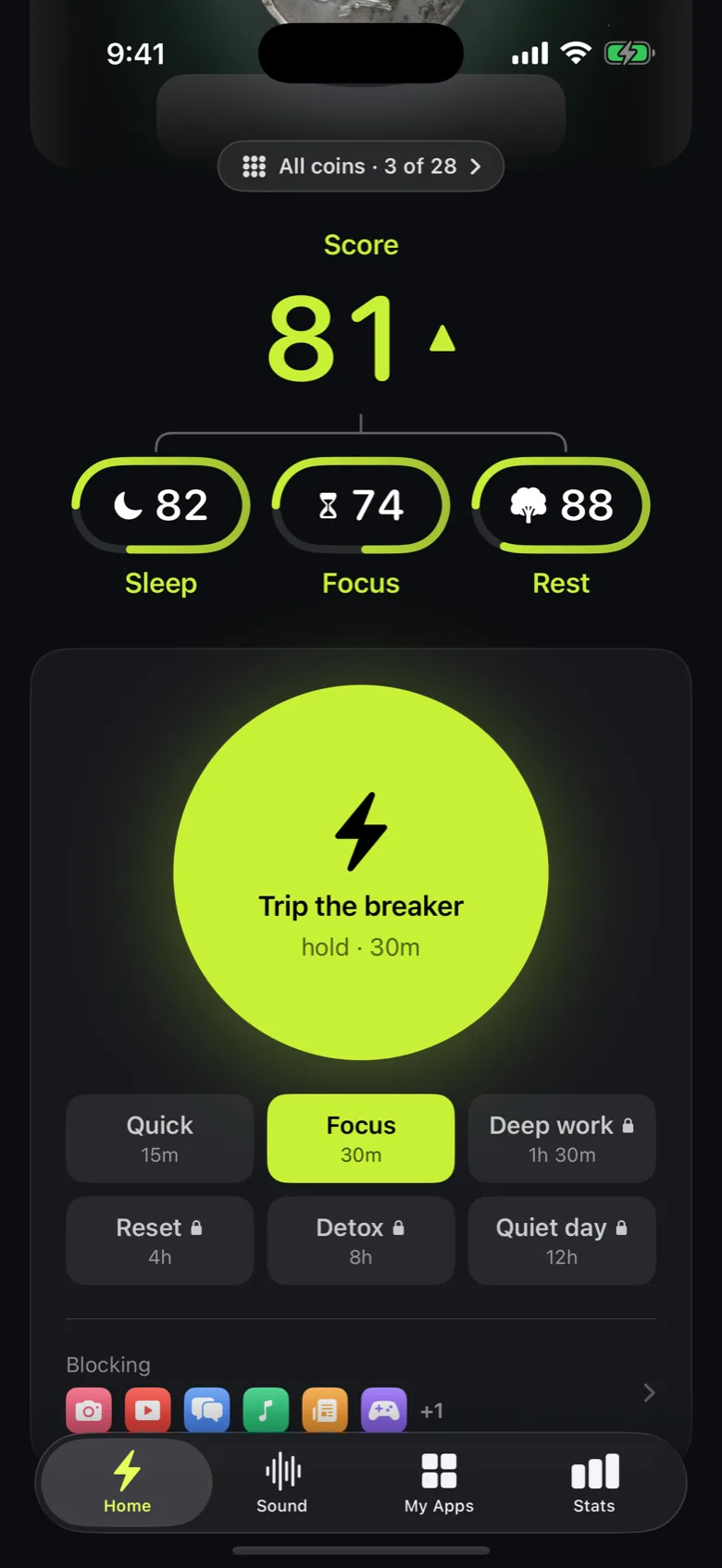
Ready to trip the breaker?
Try it free for 7 days, then $59.99 a year.