Short answer: put your regular study hours on a schedule that blocks the distracting apps automatically, and use a one-tap timed block for any session outside them. Keep your study tools unblocked, and put the phone where you can't see it.
Why "just check once" costs more than it looks
The cost of a check isn't the thirty seconds on the app; it's getting back into the problem you were halfway through. Blocking the apps removes the choice, which is the part that drains you.
Set it up with Circuit
- A study schedule. Create a schedule — Circuit offers a Study preset during setup — with the hours you study, like weekdays 18:00–21:00. Pick social, video and games; leave notes, flashcards and your browser for research if you need it.
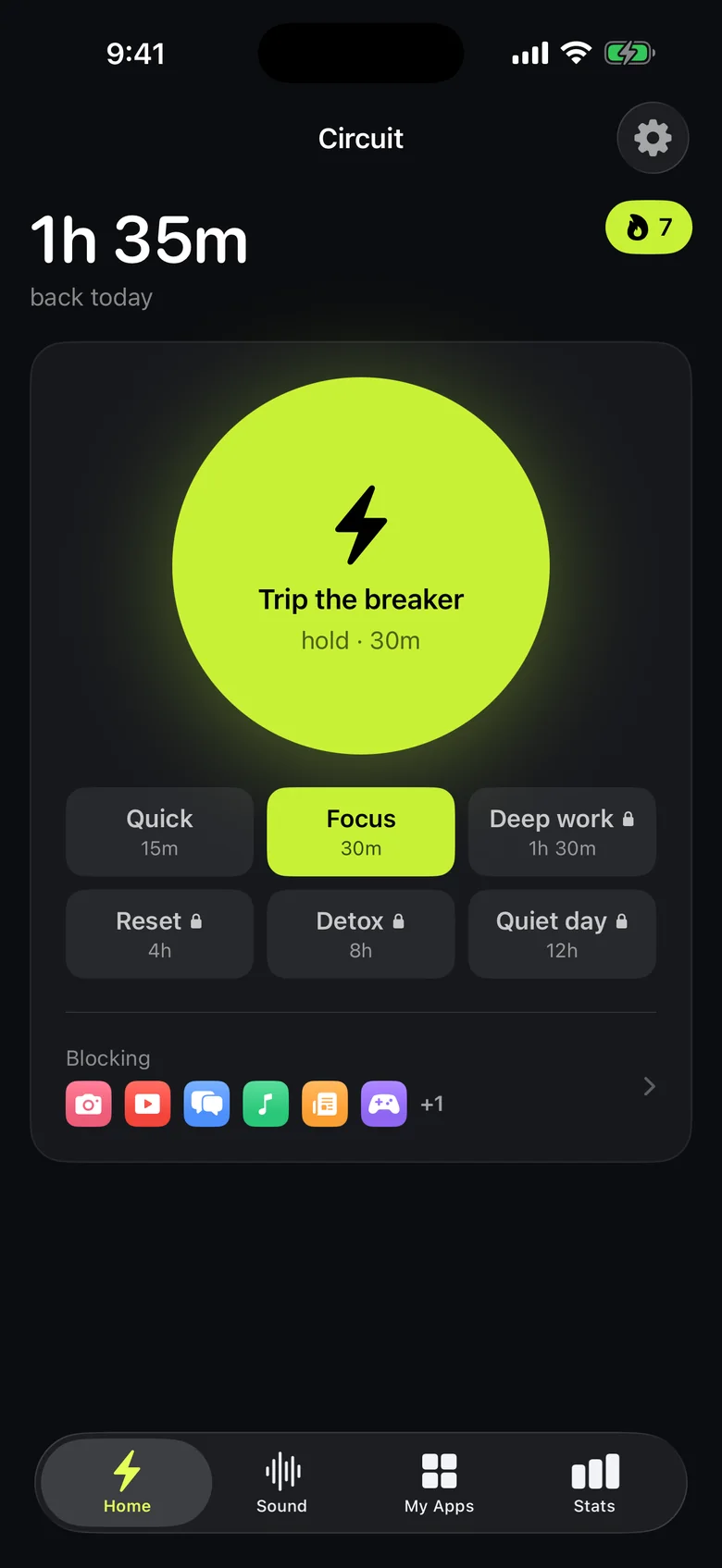
- A session block. For studying outside those hours, hold the Breaker for 30, 60 or 90 minutes. Free goes up to 30 minutes — one pomodoro — and Pro goes longer.
- Exams week: turn on Strict Mode (Pro) so a block can't be ended early. Otherwise ending early asks for a breath, a wait or a typed sentence first.
- Something to work to. Circuit plays rain, fire, waves or brown noise, and can start it when a block starts.
Stats show the hours you've blocked this week and your streak, which is a better measure of a study week than how you feel about it on Friday.
Get Circuit — the study schedule and 30-minute blocks are free.
Questions people ask
What's the best way to block apps while studying on iPhone?
Use two kinds of block: a schedule for your regular study hours, so you don't have to remember, and a one-tap timed block for sessions outside them. In Circuit that's a schedule such as Study, weekdays 18:00–21:00, and the Breaker for 30, 60 or 90 minutes.
Can I keep my study apps open while others are blocked?
Yes. You choose exactly which apps and websites are blocked, so notes, flashcards, a calculator or a dictionary stay available.
Is it better to use Focus mode?
iOS Focus modes filter notifications and Home Screens, but blocked apps can still be opened. Use Focus to quiet notifications and an app block to stop the apps from opening.
Ready to trip the breaker?
Free includes one schedule and the Breaker up to 30 minutes.